Efficient Multitab Text and Code Editor for Chrome

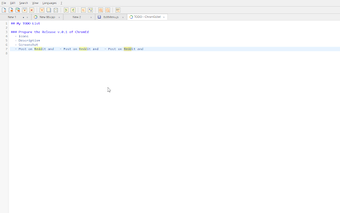
ChromEd is a fast and minimalist text and code editor designed specifically for the Chrome browser. This open-source tool emulates a Notepad++-style workflow, allowing users to edit plain text and code files seamlessly. One of its standout features is the integration with Google Drive, enabling users to open and save files directly from their accounts. Additionally, ChromEd supports local file management, making it versatile for various editing needs, from quick notes to source code.

The editor offers a user-friendly multi-tab interface, allowing for easy navigation between multiple documents. It supports keyboard shortcuts for efficient editing, includes a find and replace function, and enables offline editing with unsaved tab caching. This lightweight extension is ideal for users seeking a reliable tool for managing text and code, providing a distraction-free environment to enhance productivity.

 0/1

App specs

  • License

    Free

  • Version

    0.3

  • Latest update

  • Platform

    chrome

  • Language

    English

  • Developer

Program available in other languages


User reviews about ChromEd - Multitab Text & Code Editor with Google Drive

Have you tried ChromEd - Multitab Text & Code Editor with Google Drive? Be the first to leave your opinion!

Top extensions for Google Chrome

Top downloads Add-ons & Tools for Google Chrome

Top downloads Add-ons & Tools for Google Chrome

Top downloads Add-ons & Tools for Google Chrome

Related topics about ChromEd - Multitab Text & Code Editor with Google Drive

You may also like

Explore Apps

Latest articles

Laws concerning the use of this software vary from country to country. We do not encourage or condone the use of this program if it is in violation of these laws.
Softonic
Your review for ChromEd - Multitab Text & Code Editor with Google Drive
Softonic

Is ChromEd - Multitab Text & Code Editor with Google Drive safe?

100/100

Score result: Clean

This file passed a comprehensive security scan using VirusTotal technology. It is safe to download.

  • Virus free
  • Spyware free
  • Malware free
  • Verified by Security Partners

    VirusTotal logo

Scan Info

Last scan
Saturday, October 11, 2025
Scan provider
VirusTotal

Softonic security commitment

ChromEd - Multitab Text & Code Editor with Google Drive has been thoroughly scanned by our advanced security systems and verified by industry-leading partners. This file comes from the official developer and has passed all our security checks, showing no signs of viruses, malware, or spyware.